Published
- 5 min read
Why Regex is so Powerful and You Should Use It
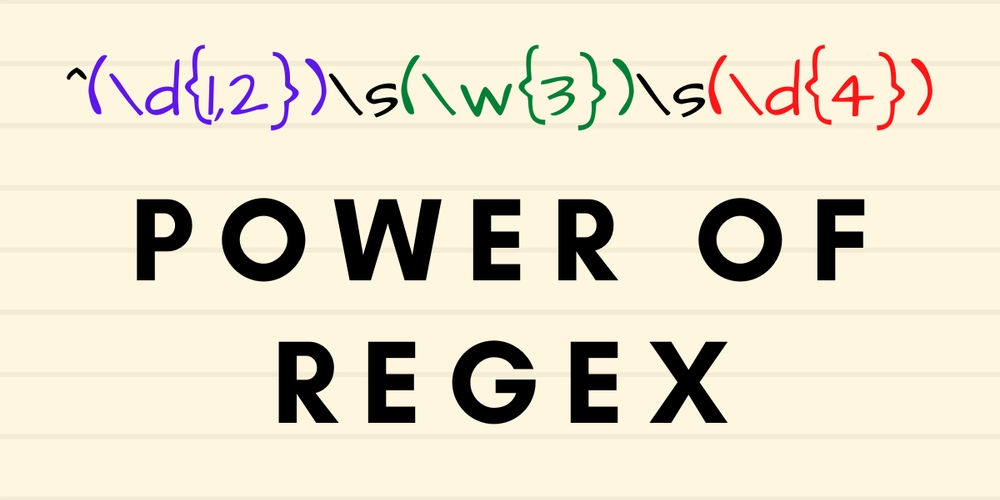
Regex is short for Regular Expression. It is often used to search for a sequence of characters by specifying a search pattern.
You can find regex available almost everywhere. In this post I will show a few examples in Python, PowerShell, Bash and Ansible.
This type of pattern filtering can be used in all sorts of contexts. Just to name few:
- CSV files
- Log files
- Configuration files
- HTML (when doing web scraping)
Quick Example
Have you ever need to extract certain data from a text/configuration file?
Here I have a CSV that contains some server names and its IP addresses.
       ServerName,IP
server01,10.1.10.1
server02,10.1.10.20
server03,10.1.1.1
server04,10.1.1.40
server05,10.2.2.30
server06,10.2.2.1
server07,10.3.1.50
server08,10.3.1.1
server09,10.4.2.1
server10,10.4.2.80
server11,10.5.1.90
server12,10.5.1.199Requirement: I need to find all the servers where the IP must end with ‘.1’. Without using regex, the default grep will return the following which is not what I am after:
       $ cat servers.csv | grep '\.1'
server01,10.1.10.1
server02,10.1.10.20 << wrong
server03,10.1.1.1
server04,10.1.1.40 << wrong
server06,10.2.2.1
server07,10.3.1.50 << wrong
server08,10.3.1.1
server09,10.4.2.1
server11,10.5.1.90 << wrong
server12,10.5.1.199 << wrong
With regex, I can easily extract the information I need. Example:
       $ cat servers.csv | grep -P '\d+\.\d+\.\d+\.1$'
server01,10.1.10.1
server03,10.1.1.1
server06,10.2.2.1
server08,10.3.1.1
server09,10.4.2.1

# OR simply
$ cat servers.csv | grep -P '\.1$'
server01,10.1.10.1
server03,10.1.1.1
server06,10.2.2.1
server08,10.3.1.1
server09,10.4.2.1
Note: The \. escapes the special character. See cheat sheet below.
Cheat Sheet
At first, regex may seem very confusing but once you understand the syntax, it’s very easy to get what you want.
This is a cheat sheet which I often refer to.
| . | Any character except new line |
| \d | Digit (0-9) |
| \D | Not a digit (0-9) |
| \w | Word character (a-z, A-Z, 0-9, _) |
| \W | Not a word character |
| \s | White space (space, tab, newline) |
| \S | Not whitespace (space, tab, newline) |
| ^ | Beginning of a String |
| $ | End of a string |
| * | 0 or more of the preceding expression |
| + | 1 or more of the preceding expression |
| [] | Matches characters in brackets |
| [^ ] | Matches characters NOT in bracket |
| | | Either Or |
| ( ) | Group |
More Examples using Different Tools
This is one real world example where I had to rely on regex.
The following is a Windows event log entry (event id: 4728) that I will be using as input for the different examples below.
       An account was successfully logged on.

A member was added to a security-enabled global group.

Subject:

   Security ID:  LEXD\Administrator
   Account Name:  Administrator
   Account Domain:  LEXD
   Logon ID:  0x27a79

Member:

   Security ID:  LEXD\alex
   Account Name:  cn=Alex,CN=Users,DC=lexd,DC=local

Group:

   Security ID:  S-1-5-21-3108364787-189202583-342365621-1108
   Group Name:  Super Admin Group
   Group Domain:  LEXD

Additional Information:

   Privileges:  -

Expiration time:
Note: I will be using this same requirement for the different examples.
Requirement: I need to know the member that has been added into the group. In this example, I am looking for “LEXD\alex”
The challenge with this is that “Security ID:” is also being used to display the subject, member and group. So without using pattern filtering, I cannot easily extract this information.
Regex in PowerShell
In the real world, this data should come straight from Event Logs as we are using PowerShell, but for this example I am just reading the log from a file to keep it simple.
       # Note: -Raw will ensure it retains as a single string by keeping the line endings in place
$LogEntry = Get-Content .\event.txt -Raw
$MyRegex = 'Member:\s+Security ID:\s+(.+)'
$Name = ($LogEntry | Select-String -Pattern $MyRegex  | ForEach-Object {$_.matches.groups})
Write-Host "The member is: $($Name[1].Value)"


# Output
PS> .\regex.ps1
The member is: LEXD\alex
Regex in Python
Same as the above, to keep it simple I am reading from a text file.
       import re

with open('event.txt', 'r') as _f:
    event = _f.read()

regex_pattern = 'Member:\s+Security ID:\s+(.+)'
result = re.findall(regex_pattern, event)
print(f'The member is: {result[0]}')
Example Output
       $ python3 regex.py
The member is: LEXD\alex
Regex in Ansible
Ansible is a configuration management tool but uses Regex to locate the configuration you wish to change.
In this example, I will rename “LEXD\alex” text to become “LEXD\malicious-actor” just to illustrate the power of regex even in complex environments.
       ---
- hosts: localhost
  gather_facts: no
  become: no
  tasks:
  - name: "Replace 'LEXD\\alex' to become 'LEXD\\malicious-actor'"
    replace:
      dest: /tmp/event.txt
      regexp: '(Member:\s+Security ID:\s+)(.+)'
      replace: '\g<1>LEXD\\malicious-actor'

  - shell: cat /tmp/event.txt
    register: output

  - debug:
      var: output.stdout_lines
Playbook execution
       $ ansible-playbook playbook.yml
[WARNING]: provided hosts list is empty, only localhost is available. Note that the implicit localhost does not match 'all'

PLAY [localhost] ***************************************************************************************************

TASK [Replace  'LEXD\alex' to become 'LEXD\malicious-actor'] *******************************************************
changed: [localhost]

TASK [shell] *******************************************************************************************************
changed: [localhost]

TASK [debug] *******************************************************************************************************
ok: [localhost] => {
    "output.stdout_lines": [
        "An account was successfully logged on.",
        "",
        "A member was added to a security-enabled global group.",
        "",
        "Subject:",
        "   Security ID:  LEXD\\Administrator",
        "   Account Name:  Administrator",
        "   Account Domain:  LEXD",
        "   Logon ID:  0x27a79",
        "",
        "Member:",
        "   Security ID:  LEXD\\malicious-actor",
        "   Account Name:  cn=Alex,CN=Users,DC=lexd,DC=local",
        "",
        "Group:",
        "   Security ID:  S-1-5-21-3108364787-189202583-342365621-1108",
        "   Group Name:  Super Admin Group",
        "   Group Domain:  LEXD",
        "",
        "Additional Information:",
        "",
        "   Privileges:  -",
        "",
        "Expiration time:"
    ]
}

PLAY RECAP *********************************************************************************************************
localhost                  : ok=3    changed=2    unreachable=0    failed=0    skipped=0    rescued=0    ignored=0
Conclusion
I hope these examples I’ve given here will encourage you to learn regex.
Is not as hard as it looks, especially when you have online tools to guide you. I’ve been using https://regex101.com to assist me with my regex filters all the time. I simply paste in some dummy data and I can quickly and easily test what works and what doesn’t work.
Feel free to leave comment below if you have any questions about using regex.